Lobby | Buddies
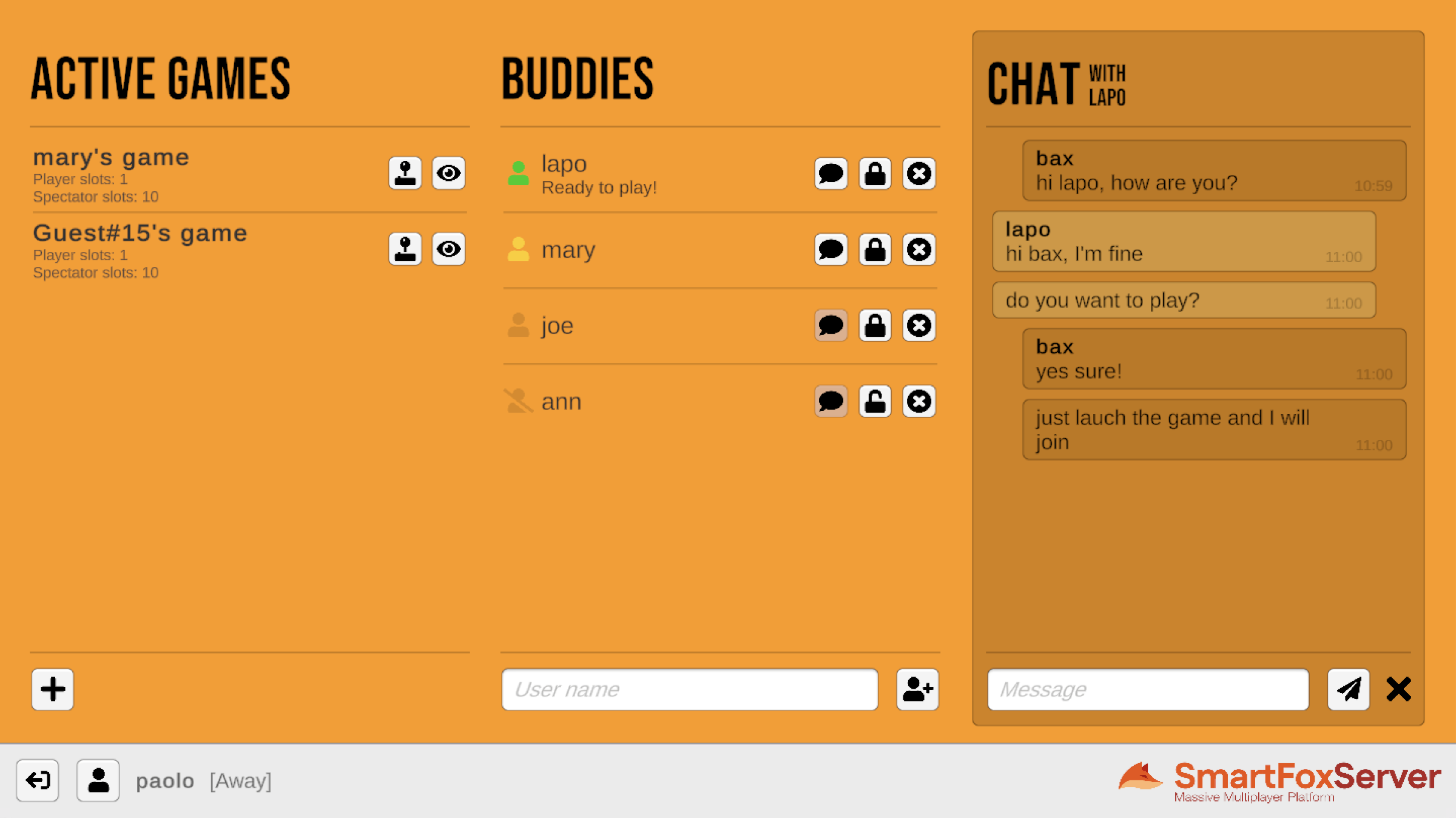
This tutorial is the second in a series of three in which we lay the foundations for a lobby application to be used as a template in multiplayer game development. A lobby is a staging area which players access before joining the actual game. In a lobby, users can usually customize their profile, chat with friends, search for a game to join or launch a new game, invite friends to play and more.
This example expands the one described in the Lobby | Basics tutorial by adding a friends list to the Lobby scene, with icons to represent the state of friends, controls to add, remove and block them and a panel to exchange private messages. Additionally users can access a profile panel to set their state and other details that will be visibile to their friends.
In this document we assume that you already went through the previous tutorial, where we explained the subdivision of the application into three scenes, and how to create a GlobalManager class to share the connection to SmartFoxServer among those scenes.
Source code
- Get the full examples pack from the SmartFoxServer website
- Get this example source from the Unity Asset Store
The porting of this tutorial from the SmartFoxServer 2X documentation is still in progress. We apologize for the inconvenience.