Buddy Voice Chat
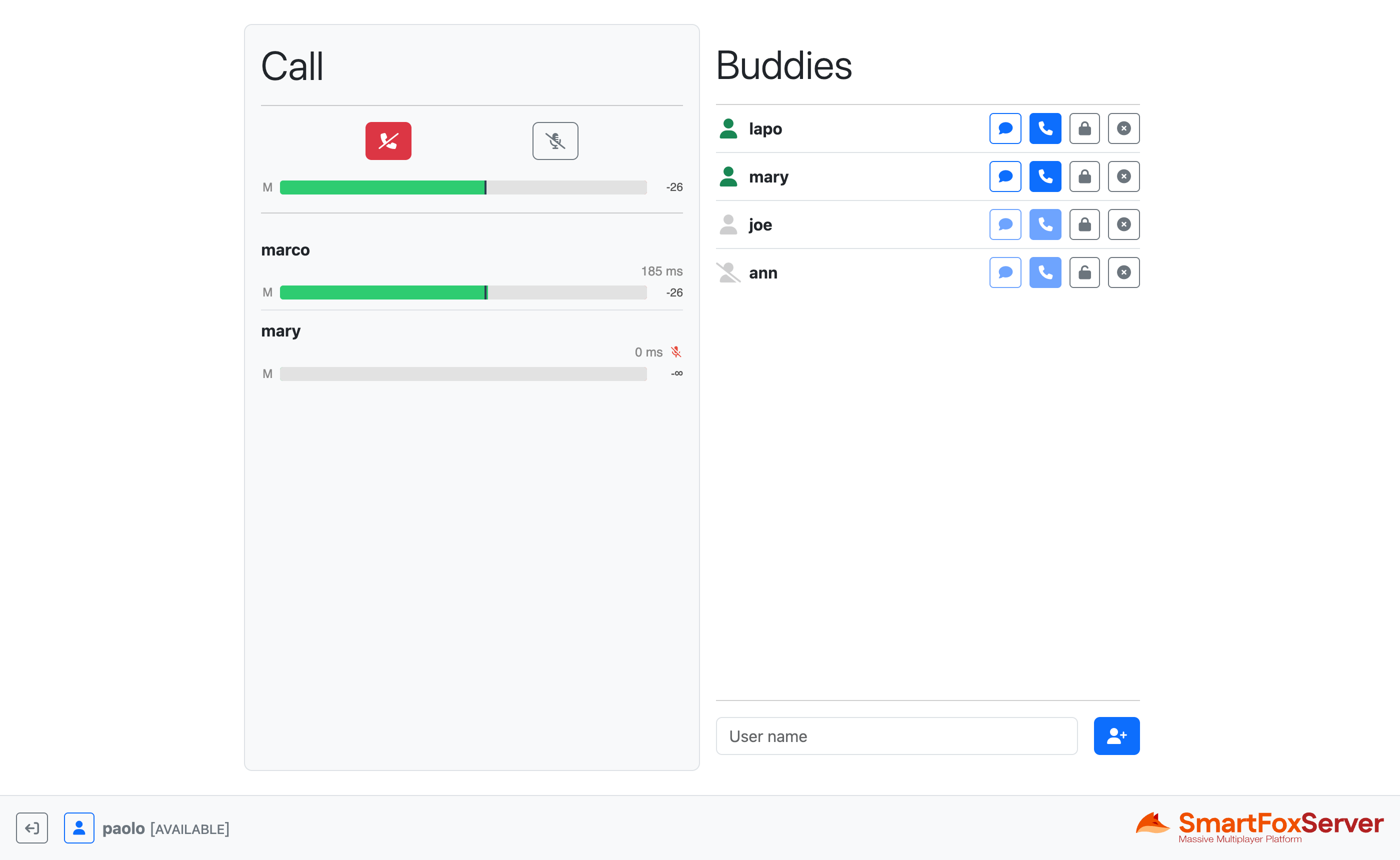
The Buddy Voice Chat example shows how to add real-time voice communication to a multiplayer application, by combining SmartFoxServer's Audio API with the Buddy List and Game APIs. Users can add friends to their contacts list, exchange private text messages with them and, most importantly, start a group audio call with up to four participants.
This example expands the one described in the Lobby | Buddies tutorial: the Lobby view features the same friends list, with icons representing the state of each buddy, controls to add, remove and block them, a panel to exchange private messages and a profile panel to set the user's state and other details visible to their friends. On top of this, a Call button in each buddy list entry lets users start a voice conversation.
Under the hood a voice call is nothing more than a Room with audio streaming enabled. When a call is started, the client creates a temporary, password-protected game Room and joins it; the selected buddy is then sent an invitation to join the Room. If the invitation is accepted, the invitee joins the same Room and both clients start streaming audio to one another. Additional buddies can be invited to the same call while it is in progress. The call panel displays a live audio meter for each participant, and a mute button lets users temporarily suspend their own stream.
The example also shows how to deal with the audio devices available on the client: the profile panel lists the capture and playback devices detected by the API, allowing users to switch between them. Since browsers require an explicit user consent before granting access to a microphone, the code also demonstrates how to request the audio capture permission, which must be granted before the list of devices can be retrieved, or microphone capture started.
In this document we assume that you already went through the previous tutorials, where we explained the subdivision of the application into multiple views, how to create an Application class to share the connection to SmartFoxServer among the controllers of those views and how to implement and manage a buddy list. Here we removed the Game view, as the voice chat entirely takes place in the Lobby.
Source code
The writing of this tutorial is still in progress. We apologize for the inconvenience.