MMO Demo
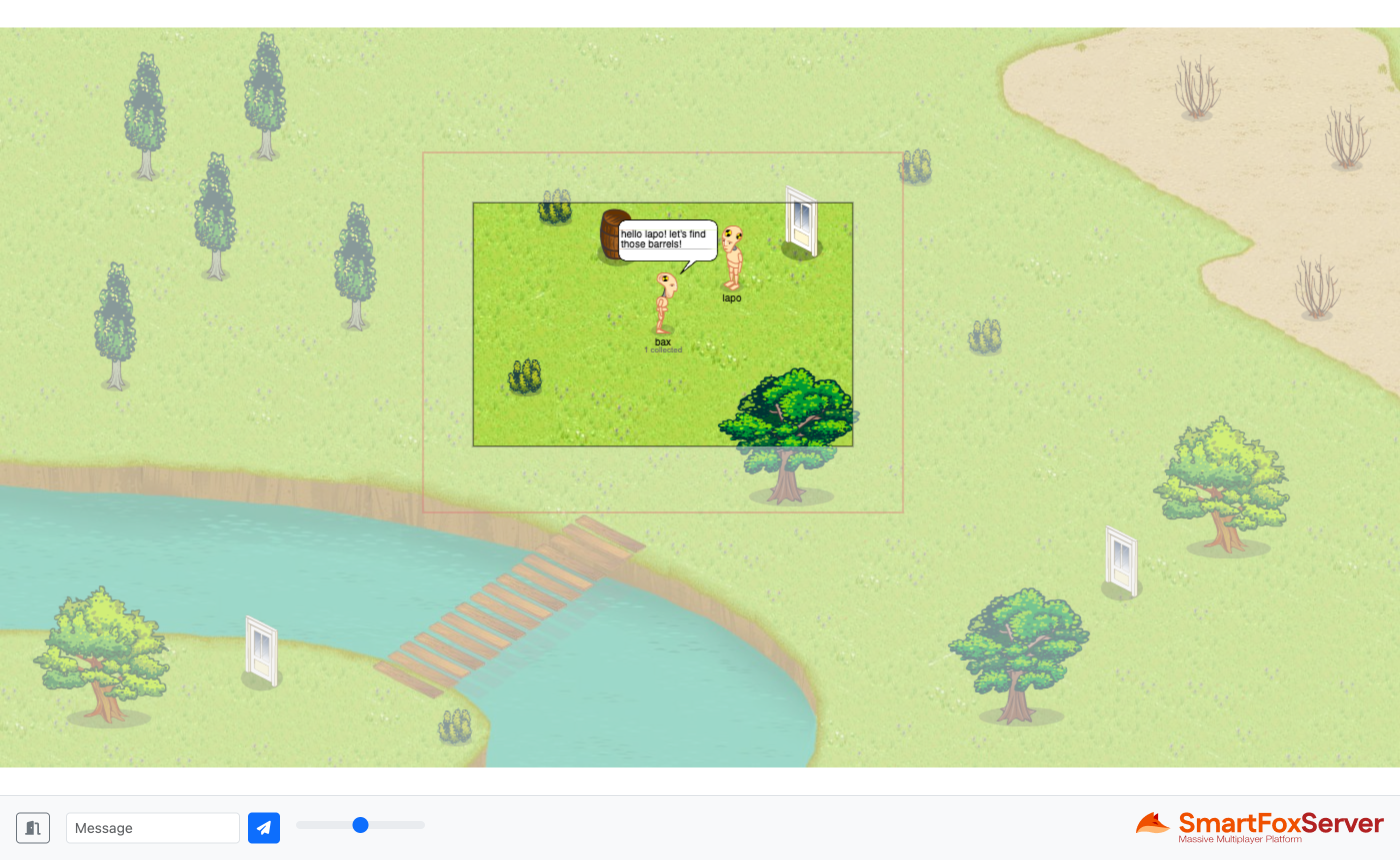
The MMO Demo example introduces a special type of Room object available in SmartFoxServer, the MMORoom, which supports local interaction among users based on their spatial proximity.
In a regular Room, all the events generated by the users are broadcast to all the other users in the same Room. This approach is inefficient in a large virtual environment, like the map of an MMO game, where a user is usually able to perceive a limited portion of the world only: sending them updates about players located far away is a waste of bandwidth and processing power. The MMORoom solves this issue by means of the Area of Interest (AoI), a configurable range which determines the events a client will actually receive. In order for this to work, each user declares their own position in the virtual space represented by the MMORoom itself.
In this example the users are represented by avatars which can walk around a 2D map. The avatar's position is declared to the MMORoom by means of the SetUserPositionRequest, sent continuously while the avatar moves; this causes the server to recalculate the user's proximity list and fire a PROXIMITY_LIST_UPDATE event, telling the client which users entered or left their Area of Interest. Two User Variables (x and y) store the avatar's current position, so that the other clients in range can render it, while a third one (dir) stores the direction the avatar is facing, among the eight available. As you will notice, the AoI is deliberately larger than the visible portion of the map: as the proximity list is updated at a configurable interval rather than instantaneously, this margin prevents the avatars from abruptly popping in and out of the view while they move.
The example also shows how to use MMOItems, which are non-player entities existing in the MMORoom and subject to the Area of Interest just like the users. Here they take the form of barrels scattered around the map, that players have to find and click to open them.
The example features a server-side Room Extension which is in charge of loading the Room's hitmap, a colored representation of the map defining the walkable areas, the static items (like trees) and the entry points. The Extension also spawns the MMOItems in valid positions, updates their state when a player clicks them — by means of an MMOItem Variable, without removing them from the map — and keeps track of how many items each player has opened.
Source code
The writing of this tutorial is still in progress. We apologize for the inconvenience.