Spatial Audio
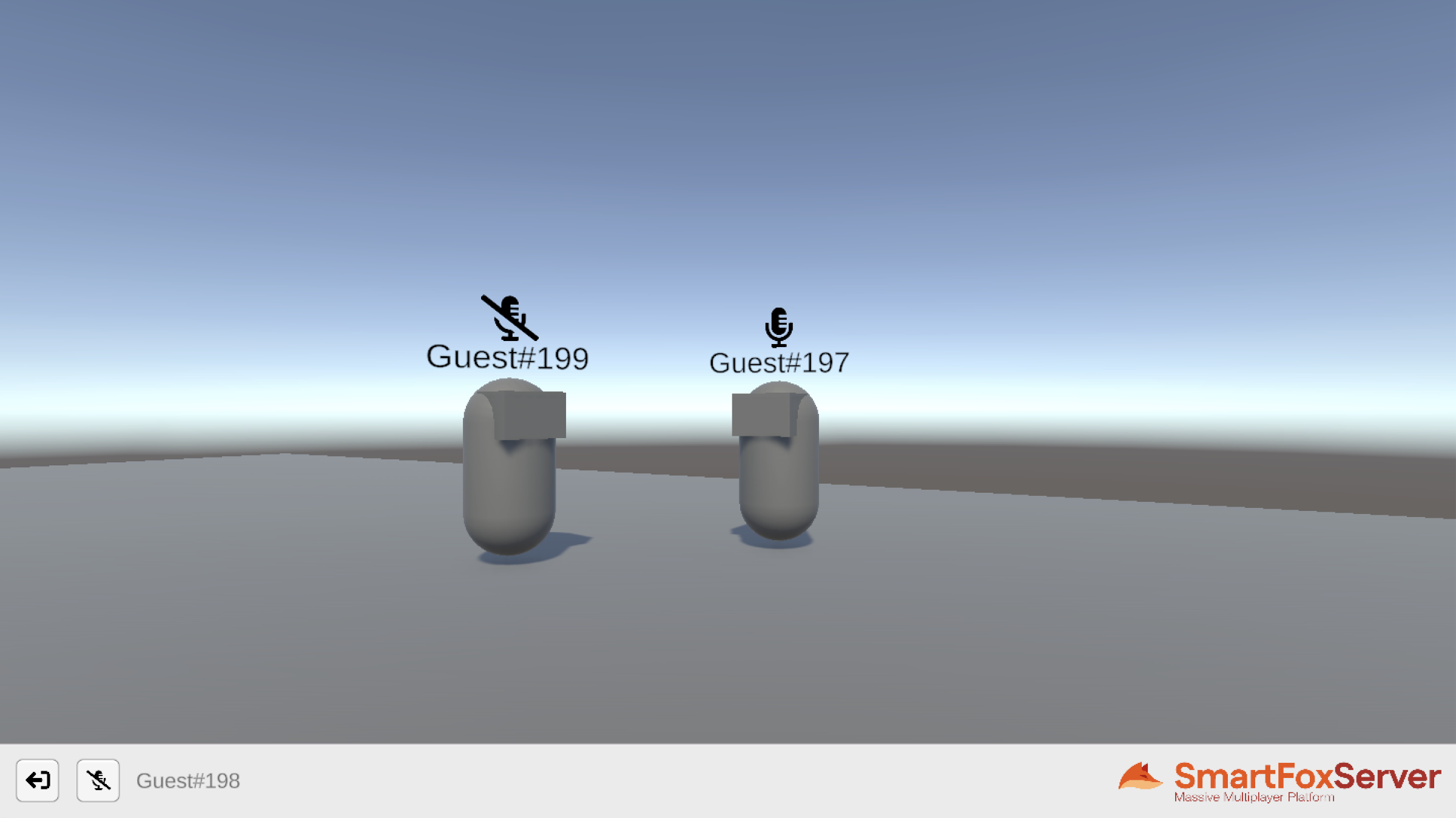
The Spatial Audio example shows how to turn SmartFoxServer's Audio API into positional voice communication, where users hear each other's voice coming from the direction of their avatar, at a volume which fades with distance. Instead of the explicit calls described in the Buddy Voice Chat tutorial, here the conversation is driven by proximity alone: everybody in the virtual world streams their microphone continuously, and it is the distance between avatars that determines who can be heard and how loudly.
The Unity project consists of two scenes: Login, where the connection to SmartFoxServer is established, login is performed and a shared Room is joined, and World, a small square arena which the user explores in first person, moving and turning their avatar with the keyboard. Each remote user is represented by an avatar showing their name and an icon telling whether they are currently talking or muted.
Player positions are shared using User Variables: whenever the local player moves or turns, its coordinates and heading are stored in two variables which the server broadcasts to the other occupants of the Room, so that each client can update the corresponding avatar.
To make the incoming voice positional, whenever a user starts talking, the API hands the client a Unity GameObject with an AudioSource already playing the incoming stream. The example attaches this object to the corresponding avatar and configures the source as a 3D sound, setting its spatial blend and the maximum distance beyond which the voice is not heard at all. From that moment on, Unity's own audio engine takes care of the spatialization as the avatars move around, relative to the position and orientation of the listener.
The example also shows how to let users mute their own outgoing stream at any time, and how the resulting event is used by the other clients to update the talk/mute icon displayed above the speaker's avatar.
In this document we assume that you already went through the previous tutorials, where we explained the subdivision of the application into multiple scenes, and how to create a GlobalManager class to share the connection to SmartFoxServer among those scenes.
Source code
- Get the full examples pack from the SmartFoxServer website
- Get this example source from the Unity Asset Store
The writing of this tutorial is still in progress. We apologize for the inconvenience.